Machine Learning Interview Questions and Answers 2026
Mon, 09 December 2024

Follow the stories of academics and their research expeditions

A significant part of the contemporary workforce, LinkedIn is a potent professional networking site. With millions of users worldwide, LinkedIn places a high fee on user data protection. Large volumes of private user messages, work histories, resumes, and other sensitive personal and professional data are committed to the platform. The way LinkedIn protects this data is crucial for both users and the biz itself, assessing its role in the business infrastructure. This article discusses the metrics LinkedIn holds to protect user data and how user data protection is proven.
Defending personal information is more valuable than ever in the newer, digitally connected world. LinkedIn is a platform that holds a great deal of professional information, so protecting user data is crucial to enhancing security and confidence. The company employs several tactics to safeguard user data and keep up with the latest trends in cybersecurity, including advanced encryption protocols, adherence to data protection laws, and tools that grant users privacy control.
As one of the largest social networks for professionals, LinkedIn holds substantial amounts of personal data. From job histories to educational credentials, LinkedIn ensures this sensitive information remains secure with the help of modern technologies and robust security practices. Let’s take a deeper look into how LinkedIn User Data Protection is accomplished through encryption, user control, and cutting-edge security protocols.
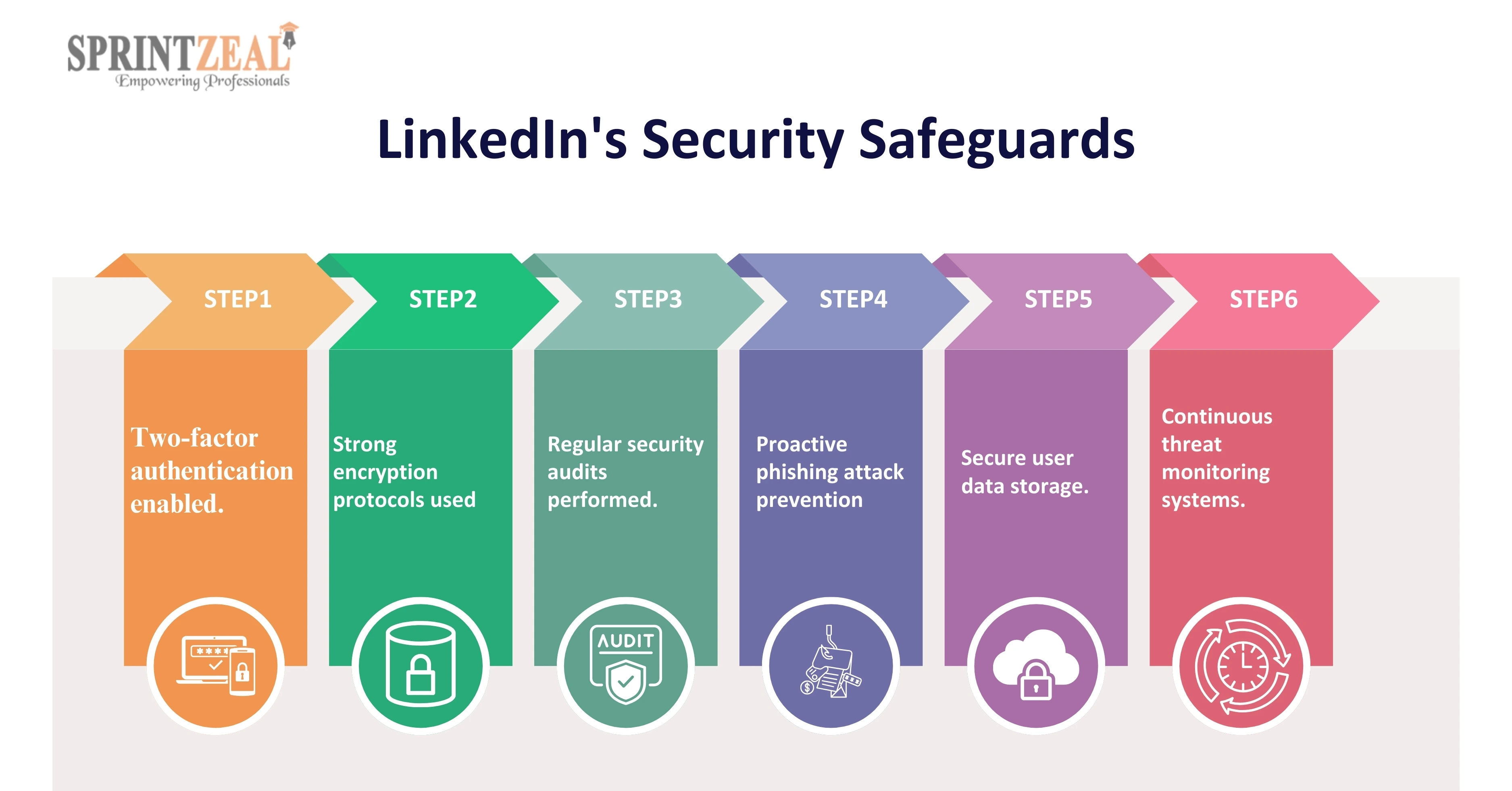
One of the most important security measures LinkedIn uses to protect user data is encryption. Every sensitive bit of data, whether it's being stored or transferred, is encrypted. LinkedIn includes TLS (Transport Layer Security) for stored data in transit and Advanced Encryption Standard (AES) for its computer systems to give the highest level of security.
Two-Factor Verification (2FA)
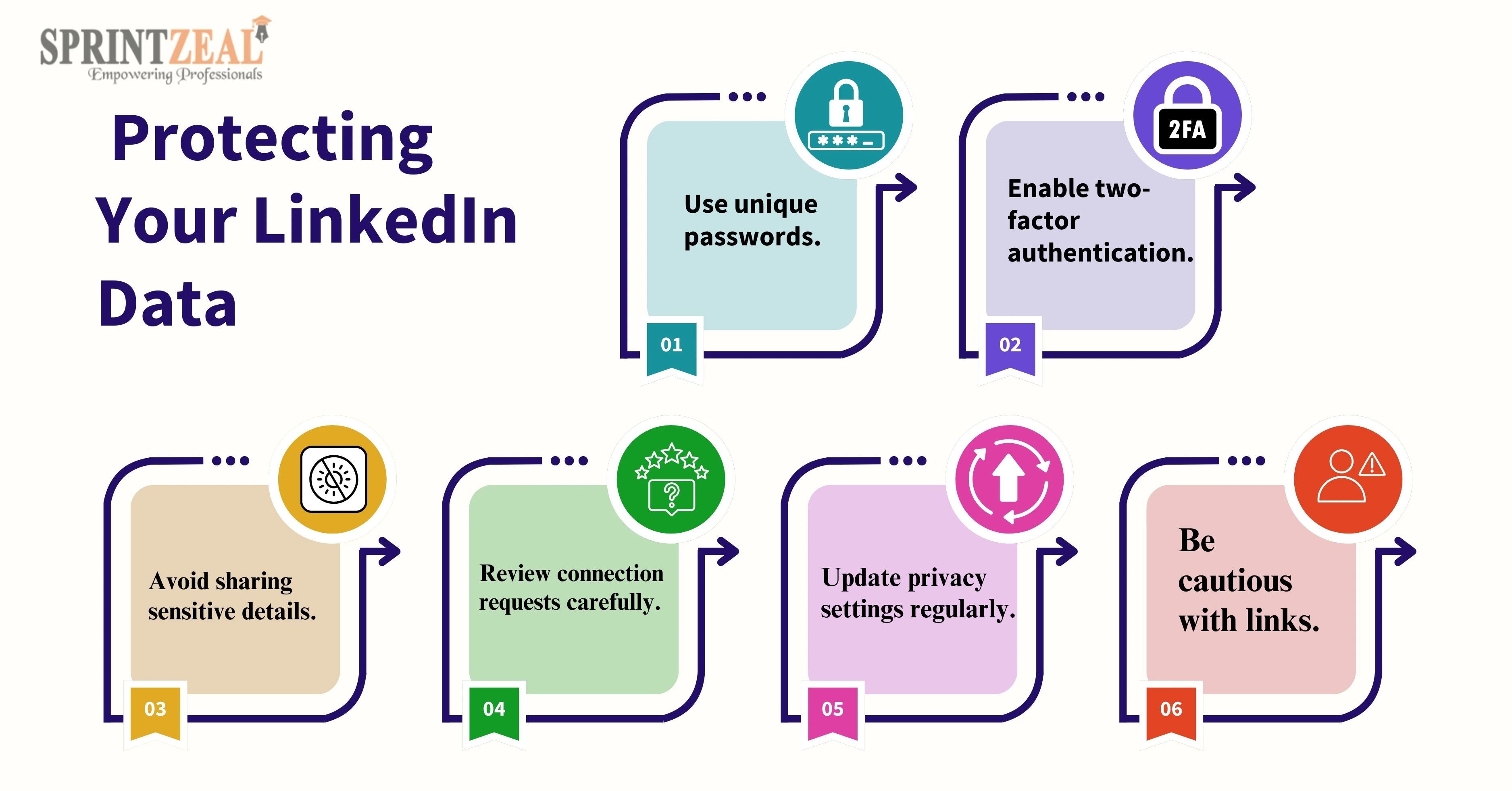
As an additional security measure, LinkedIn offers two-factor authentication. Users must enter both their password and a one-time code that is shared to their mobile device when 2FA is enabled. Even in the rare scenario that a password is affected, this guarantees that unwanted access is prevented.
Privacy Settings and User Control
LinkedIn prioritizes user control over data by providing customizable privacy settings. Users can decide who can view their profiles, posts, and personal details. They can also restrict who sends connection requests or messages, giving them greater control over their data.
LinkedIn’s Compliance with Data Protection Laws
LinkedIn commits to following the laws that protect personal data. For example, it matches the General Data Protection Regulation (GDPR) of Europe, which allows users the ability to access, delete, or limit the use of their private data. Also, the company meets with the California Consumer Privacy Act (CCPA), which provides similar protections to residents of California.
Data breaches are a constant concern for platforms handling sensitive information, and LinkedIn goes the extra mile to protect its infrastructure. Here's how they minimize risks:
Regular Security Audits:
LinkedIn conducts regular, comprehensive system audits to find any security flaws and make sure everything cooperates with the most recent security guidelines.
Testing for Proactive Penetration:
LinkedIn tests its defenses by representing hacking attempts in collaboration with outside security experts. Because they are actively engaged, they can identify and address vulnerabilities before they are exploited. These preemptive actions demonstrate LinkedIn's dedication to cyberattacks.
LinkedIn has put in place intelligent measures to protect accounts from being accessed by unauthorised users since it takes user security very seriously. This is how they're doing it:
1) Password Hashing: LinkedIn utilizes a technique known as password hashing in place of password-safe in its original form. This assumes that before your password is stored, it is converted into a complex, confusing string of characters. No one can figure out your real password, even if they handle to access this same database.
2) Using Machine Learning to Identify Suspicious Activity: LinkedIn's system is alert for any odd behaviour. The framework flags your account if someone repeatedly wants to enter the incorrect password or attempts to log in from a location you have not yet used before. In these circumstances, LinkedIn might demand extra confirmation to make sure it's you.
LinkedIn values openness and gives users authority over the use and collection of their personal information. LinkedIn gives customers several tools to help them better manage their data:
Download Your Data: Customers have the opportunity to request an available download file that includes all of the information they have shared on LinkedIn, such as messages, posts, contacts, and connections.
Delete Your Data: By data protection laws, an individual may ask for their data to be deleted from LinkedIn if they choose to leave the company.
Although LinkedIn takes strong care to prevent the protection of user data, everybody has a shared responsibility to protect one’s privacy. You can take the following actions to improve your security:
Examine your privacy preferences: To limit what information is available to others, review and update your privacy settings on a regular basis. Limit who can view your contact information or work history, for example.
Turn on two-factor verification (2FA): Unless someone knows your password, it will be more difficult for them to access your profile if you have enabled two-factor authentication.
Watch Out for Third-Party Apps: LinkedIn allows connections with recruiting tools and job boards, but exercise caution. Always check the permissions these apps ask for and don't give them access to ones that are unnecessary or harmful.
It is mandatory to have robust cybersecurity processes in an increasingly connected world. To help professionals gain the skills necessary to safeguard data and maintain privacy online, Sprintzeal offers a series of courses. Sprintzeal's training programs offer the basic framework for a wealthy career in cybersecurity and data protection act protection, irrespective of your interests in widening your comprehension of cybersecurity practices or learning more about the CCPA and GDPR.
Courses We Offer:
LinkedIn offers a unique approach to data protection, complying with global privacy rules and trying to cut authentication. LinkedIn has made great progress establish protecting user data by giving users control placed above a white their privacy settings and extra security measures like two-factor authentication. To protect their accounts, users must, nevertheless, continue to be watchful and take proactive measures. Users can interact with LinkedIn with trust while protecting their personal and professional data if they understand how LinkedIn User Data Protection operates.
How does LinkedIn protect user data?
LinkedIn uses strict privacy controls, common security audits, encryption, and 2 different authentications to protect user data.
What security does LinkedIn use?
LinkedIn uses encryption (TLS for transit, AES for storage), two-factor authentication, password hashing, and machine learning for fraud detection to secure user data.
Is LinkedIn data safe?
Yes, LinkedIn implements robust security measures, including encryption and compliance with data protection laws, to safeguard user data.
Where does LinkedIn store their data?
LinkedIn stores user data on secure servers, utilizing advanced encryption techniques to protect data both in transit and at rest.

Sprintzeal
Mon, 09 December 2024
Tue, 11 March 2025

Tue, 11 March 2025


© 2024 Sprintzeal Americas Inc. - All Rights Reserved.

 USA : +1315-322-7821
 UK : +44 7700 174870
 IND : +919008230179
 AUS : +61 480 005 455
Leave a comment